Step 2 / 5
The roast list works itself out.
From confirmed orders, Haimoo Flow calculates how many kilos of each coffee to roast today, deducts coffee already finished in stock, converts the need to green coffee according to roast loss and arranges the roasts from light to dark.
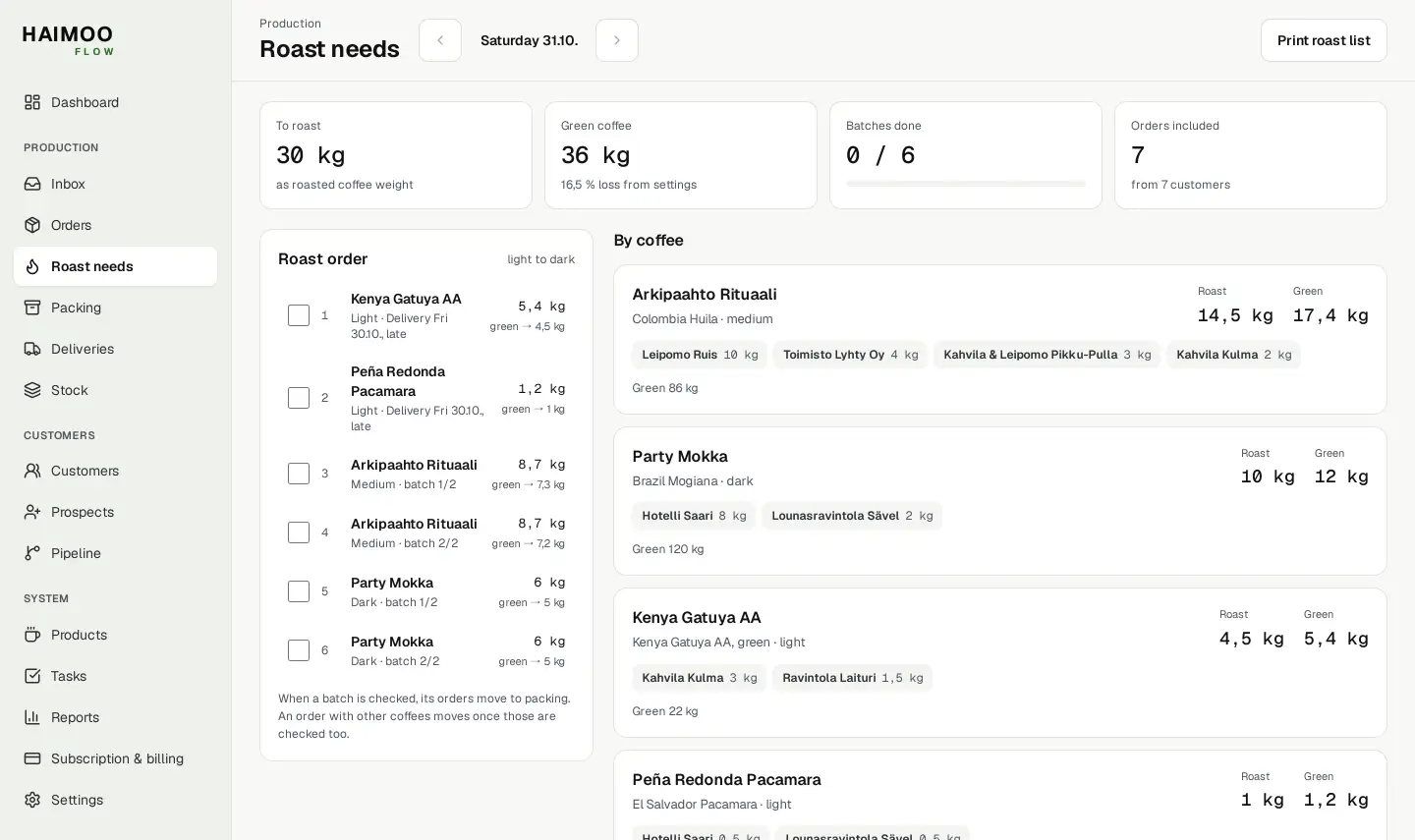


Views from Flow. Names and figures are examples.
Where the figures come from
Roast needs shows one day's roasting. The figures come from orders and stock, not from estimates.
Orders by coffee
The coffees in confirmed orders are added up coffee by coffee. Bags are converted to kilos according to bag size: 6 × 250 g is 1.5 kg. Today also includes late orders and orders with no delivery date.
Finished coffee is deducted
Finished coffee tracked in kilos or grams is deducted from the need. If the same roasted coffee is sold as two products, the balance is shared between them and is not counted twice.
Green coffee and batches
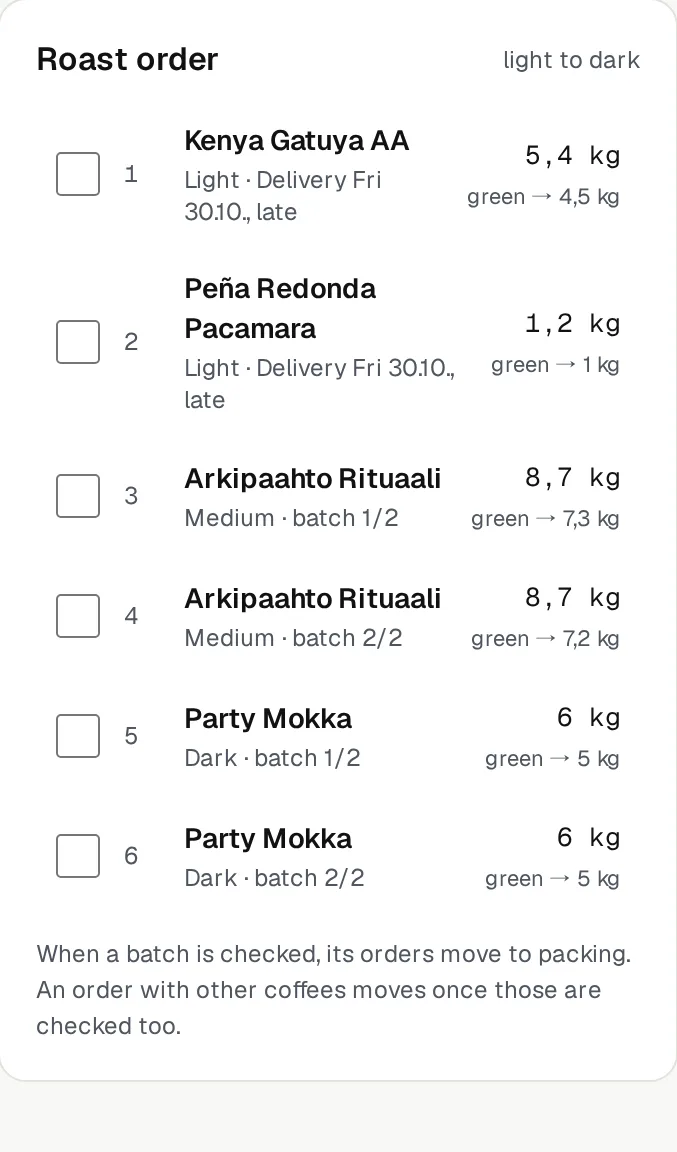
Roast loss is entered in Settings as a percentage, and the line shows the green coffee quantity: for example, 14.5 kg roasted is 17.4 kg green at 16.5 percent loss. The batch size splits the coffee into batches, for example batch 1/2 and 2/2.
Order from light to dark
The roast level is chosen for the product: light, medium or dark. The roast order runs from light to dark and, within the same level, earliest delivery first. Ticking a line moves its orders to packing; an order with several coffees moves once all its coffees have been checked.
Green coffee balance in the same view
Each coffee's card shows who ordered and how much, as well as the balance of the green coffee linked to the product as a material. When the balance falls below minimum, the card says so.
The Dashboard shows the same for the week.
Today and this week
The Dashboard's roast plan shows kilos by coffee for today or to the end of the week. An order with no delivery date is included in both.
Roast list on paper
The Print roast list button makes the day's list printable, in case the roasting room has no screen.
Green coffee in stock
The Dashboard's Green coffee section shows the largest green coffee balances and marks those below minimum.
Questions about roast needs
All questionsHow does Flow decide what is roasted today?
An order is roasted on the day before delivery. Today's list has the orders due for delivery tomorrow, as well as late orders and orders with no delivery date. The arrows take you to the following days.
How is finished coffee deducted?
A Stock item that is linked to the product as a finished product and tracked in kilos or grams is deducted from roast needs. A coffee's bag sizes and grinds use the same balance, and stock is used for the orders with the earliest delivery date first.
Where does the green coffee quantity come from?
When the owner enters roast loss as a percentage in Settings, Flow shows the green coffee need for each coffee. When the batch size in kilos of green coffee has been entered, the coffee is split into batches.
Does checking off a roast change stock?
No. The check moves orders to packing. Roasted coffee is recorded in Stock separately, so the balance matches the weighed quantity.