Features
Everything Flow does.
Haimoo Flow handles a coffee roastery's order along its whole journey: from message to order, from order to roast list, packing queue and delivery. Alongside that run stock, purchase lots, reports, customers and prospects. Everything is included in the same price.
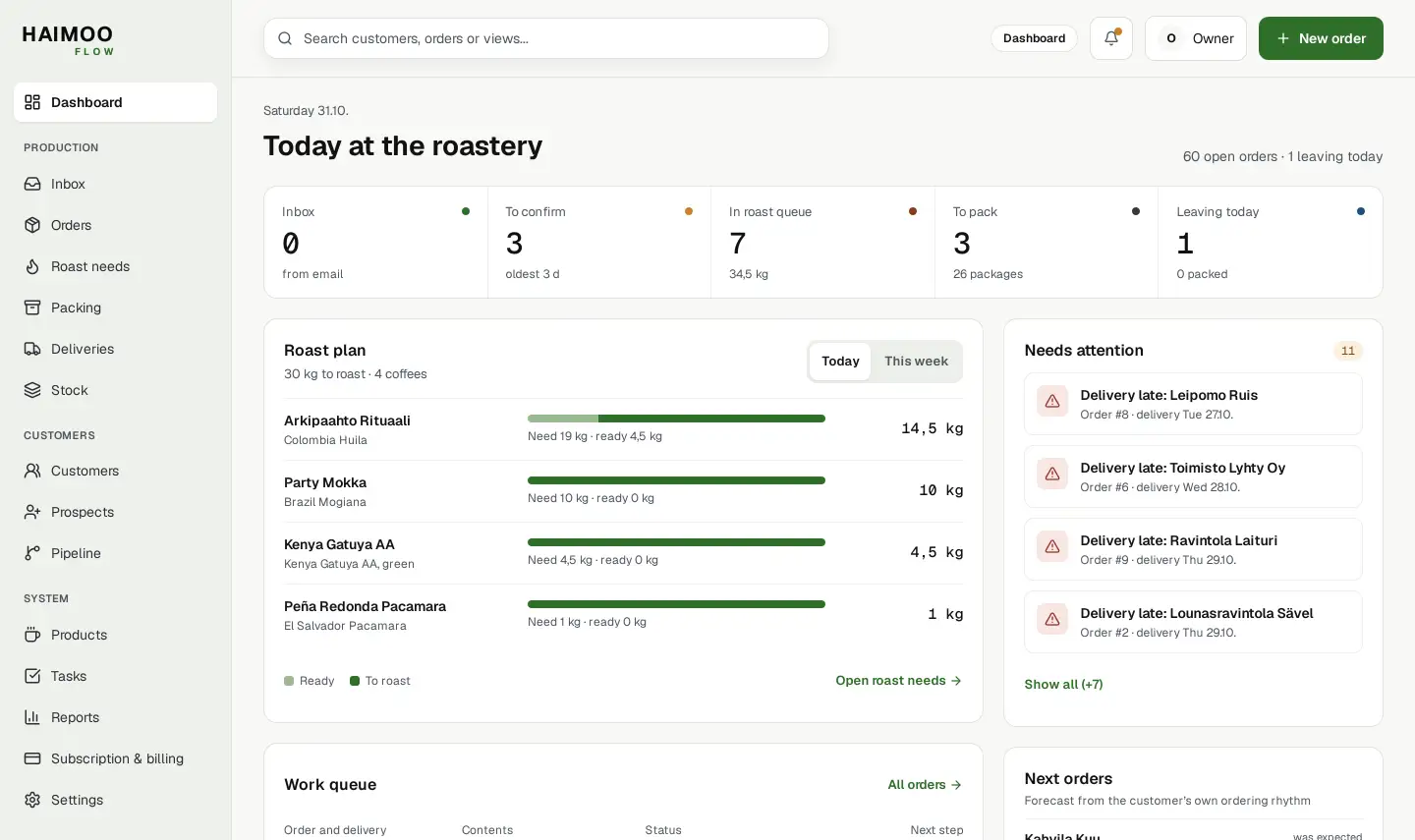
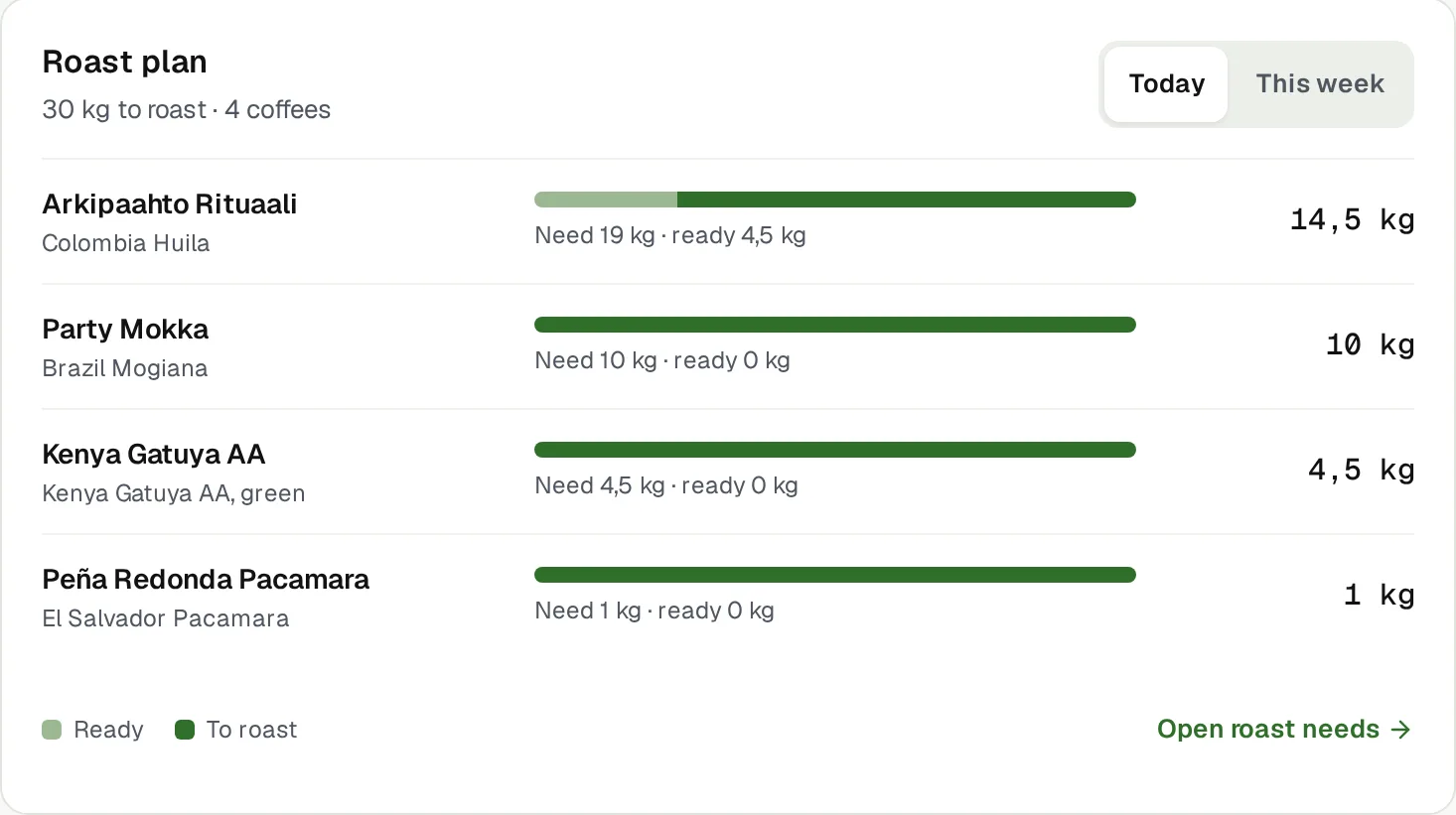
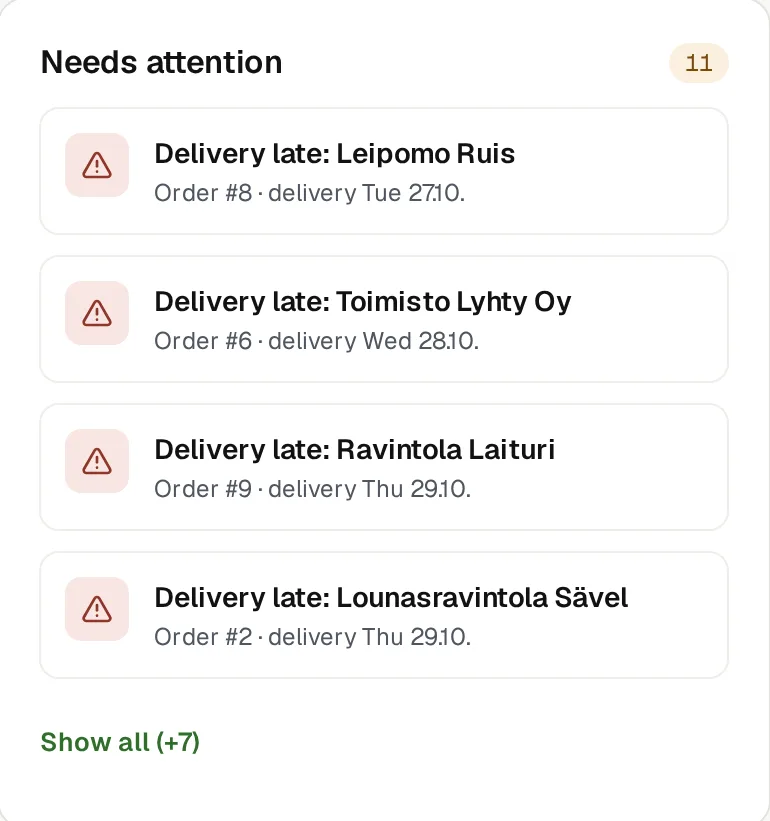
The Flow Dashboard. Names and figures are examples.
The Dashboard shows the day
One page to start the morning. All figures come from Flow's orders and stock.
Order flow
How many messages are in Inbox, how many orders await confirmation, how much is in the roast queue and to pack, and what leaves today. Each tile takes you straight to its own view.
Roast plan
By coffee, how much is needed, how much is ready and how much must be roasted, today or this week.
Needs attention
Late deliveries, orders that have waited for confirmation for at least a day, stock items that have fallen below minimum, and Inbox messages.
Next orders
From the customer's own ordering rhythm, Flow estimates when the next order is likely to arrive and what it will contain.
All areas
Orders
- Inbox: order messages from known customers
- Stages from new to delivered
- Partial deliveries
- Order and delivery confirmations to contact persons
Roast needs
- The day's kilos by coffee
- Finished coffee is deducted
- Green coffee quantity and split into batches
- Roast order from light to dark
Packing and delivery
- Packing queue on the phone
- Front and back labels from your own templates
- Shipit shipping labels
- A4 packing list
Stock and purchase lots
- Your own groups and items
- Entry log that cannot be changed afterwards
- Suppliers
- Purchase lots, price and freight
Reports
- Sales excluding VAT, and kilos
- Forecast for the current month
- Worth getting in touch
- Stock value and To order now
Customers and prospects
- Contact persons, addresses and groups
- The customer's own prices
- Next order estimate
- Prospects, messages and message templates
For the team and for quick use
Owner and member
The owner invites employees by email. A member uses orders, roasting, packing and stock. Inbox, purchase prices and prospects are visible only to the owner, and only the owner manages billing.
Command palette
Ctrl + K or Cmd + K opens search from any view. You find a view by typing, and customers and orders are found through the search in the top bar.
Three languages
Flow works in Finnish, English and Swedish. You can change the language in Settings.
Questions about features
All questionsWhat is included in Flow?
Everything on this page: orders, Inbox, confirmations, roast needs, packing queue, labels, Shipit shipping labels, stock, purchase lots, reports, customers and prospects. There are no add-ons or price tiers.
Which devices does Flow work on?
In the browser on a computer, tablet and phone. No installation is needed. The packing queue is made specifically for the phone.
Can I rearrange the Dashboard myself?
No. The Dashboard sections are fixed, so the whole team sees the same view.