Step 3 / 5
Packing on the phone, at the bench.
Haimoo Flow opens the packing queue on the phone, one order at a time. Bags are counted with the plus button, labels print from your own Canva templates with the roast date and bag size, and the shipping label is made through Shipit straight from the order.
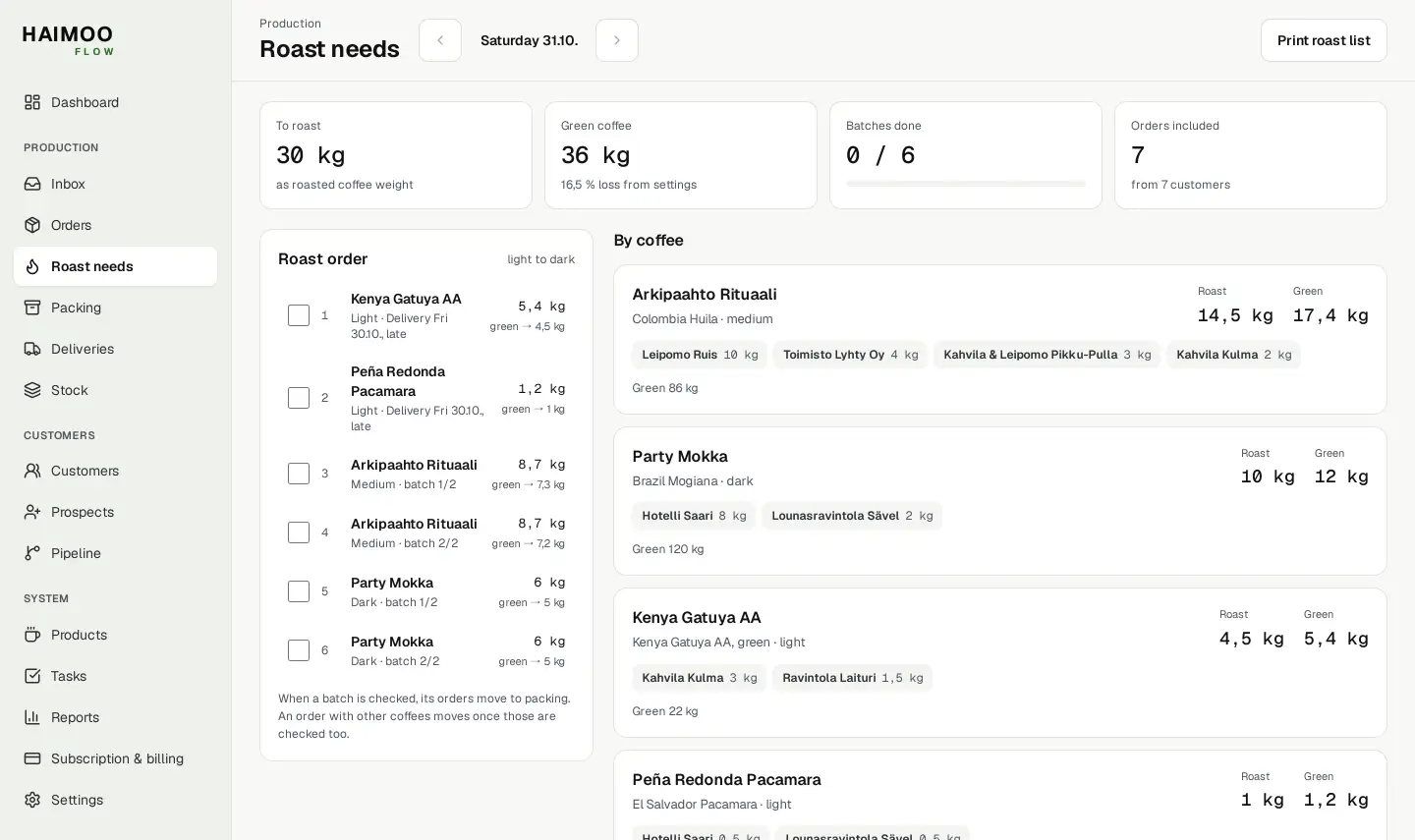
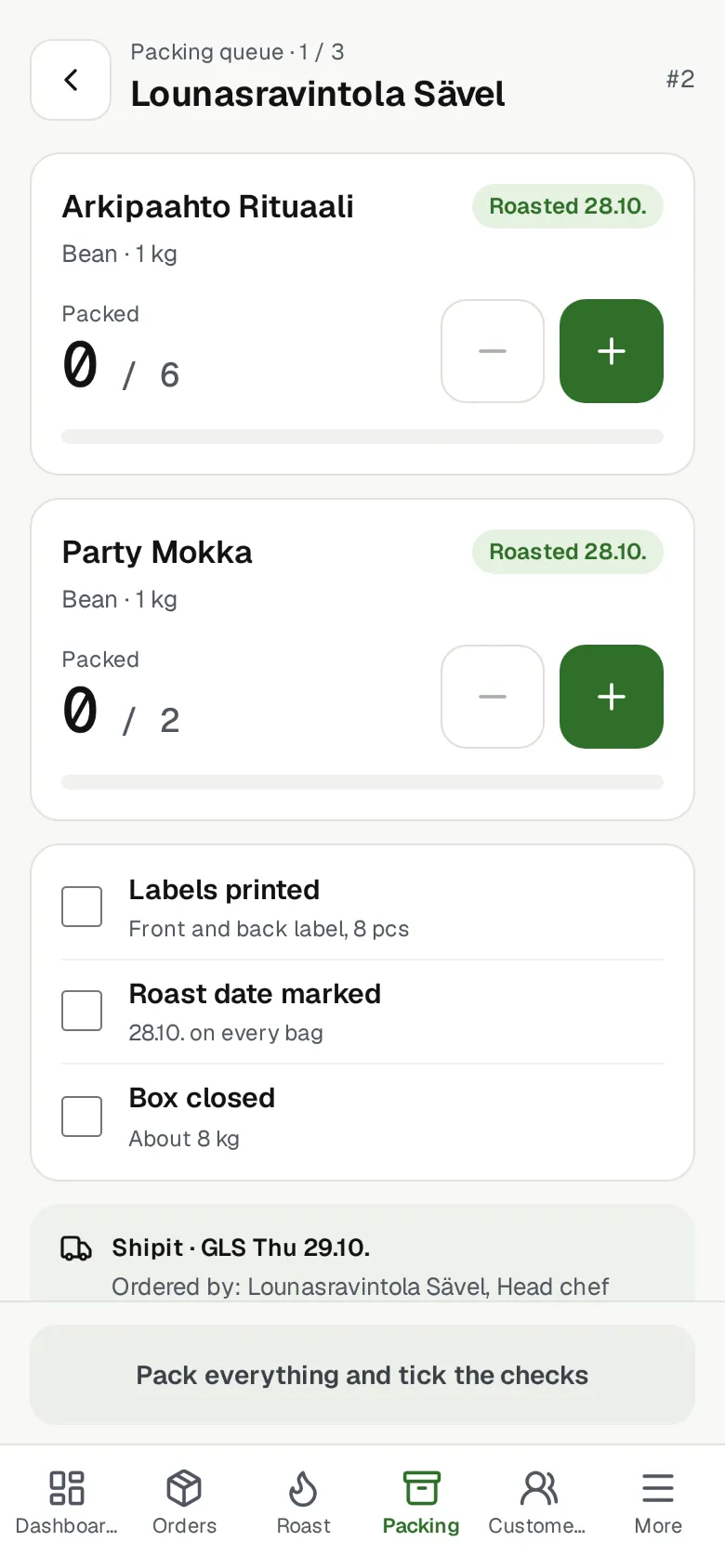

Views from Flow. Names and figures are examples.
The packing queue in four steps
The queue shows which order you are on, the name of the person who ordered and the order number. Your hands stay on the bags, not on paper.
Count the bags
Press + for each bag. The figure shows how many have been packed and how many the order has. A bulk line is checked off with a tick once it has been weighed and packed.
Check
Tick Labels printed, Roast date marked and Box closed. The roast date is the day the order was marked as roasted.
Mark as packed
The button opens only when everything has been counted and checked. The order moves on for delivery, the next order opens, and Undo restores the previous one along with its counters.
Continue later
The counter and ticks are remembered in the same browser. If part of the order has already been sent, the next package is recorded as its own batch.
Labels and delivery
Your own label templates
Front and back labels print from templates you made in Canva. The roast date is already filled in on the print, and you can change it. The package size comes from the order line, and beans and ground have their own templates.
Shipit shipping labels
The shipping label prints from the order on your company's own Shipit account, and the parcel is taken to the carrier's service point. A pickup order needs no label.
A4 packing list
A packing list prints from the order, for the box or the recipient.
Delivery confirmation
The customer gets a delivery confirmation at their main address and at the contact persons you choose, each as a separate message.
Partial delivery
When part of an order leaves, the rest stays waiting. The next package gets its own shipping label.
Weight is calculated
The shipment's weight is calculated from the products' grams, kilos, millilitres and litres. For products sold by the piece or metre, weight is entered when packing.
Questions about packing
All questionsWhat is checked in the packing queue?
Three things: labels printed, roast date marked and box closed. The roast date is the day the order was marked as roasted. The Mark as packed button opens only when all bags have been counted and all three are ticked.
What if the phone locks during packing?
The counter and ticks are remembered in the same browser, so a locked phone or a page reload does not lose them. If the order is changed from a computer, the counter for the changed line starts again from the beginning.
Where do the labels come from?
Front and back labels print from your own Canva templates. The roast date is already filled in on the print, and you can change it. The package size comes from the order line. Bean and ground versions are separate.
How is a shipping label made?
From the order, on your company's own Shipit account. Weight is calculated from the products' grams, kilos, millilitres and litres; for products sold by the piece or metre, weight is entered when packing. A pickup order needs no label.