Step 1 / 5
Every order in one queue.
Haimoo Flow gathers a coffee roastery's business orders into one list, whether they came by email, by phone or over the counter. Every order has a stage, a delivery date and a delivery method that the whole team sees from the same list.
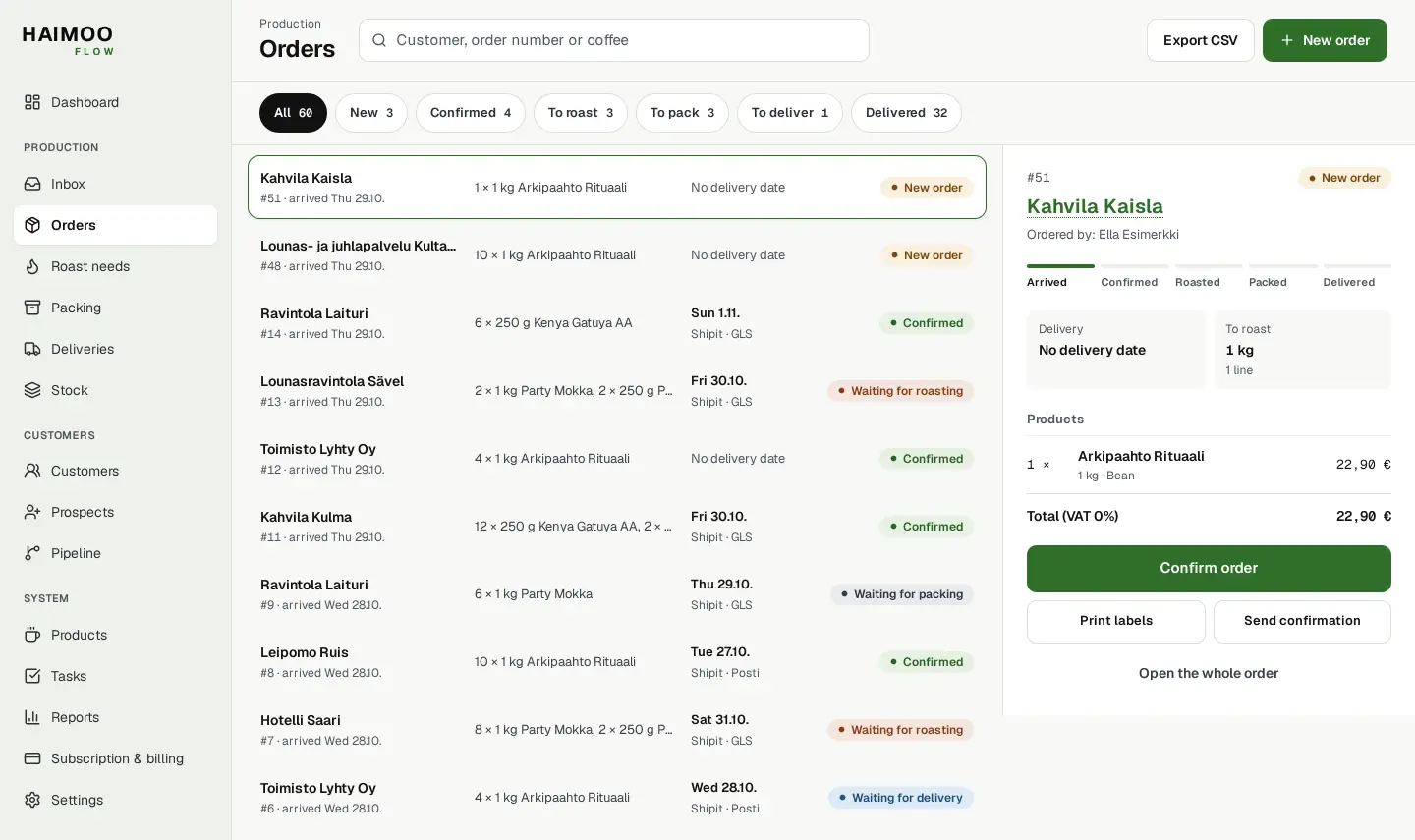
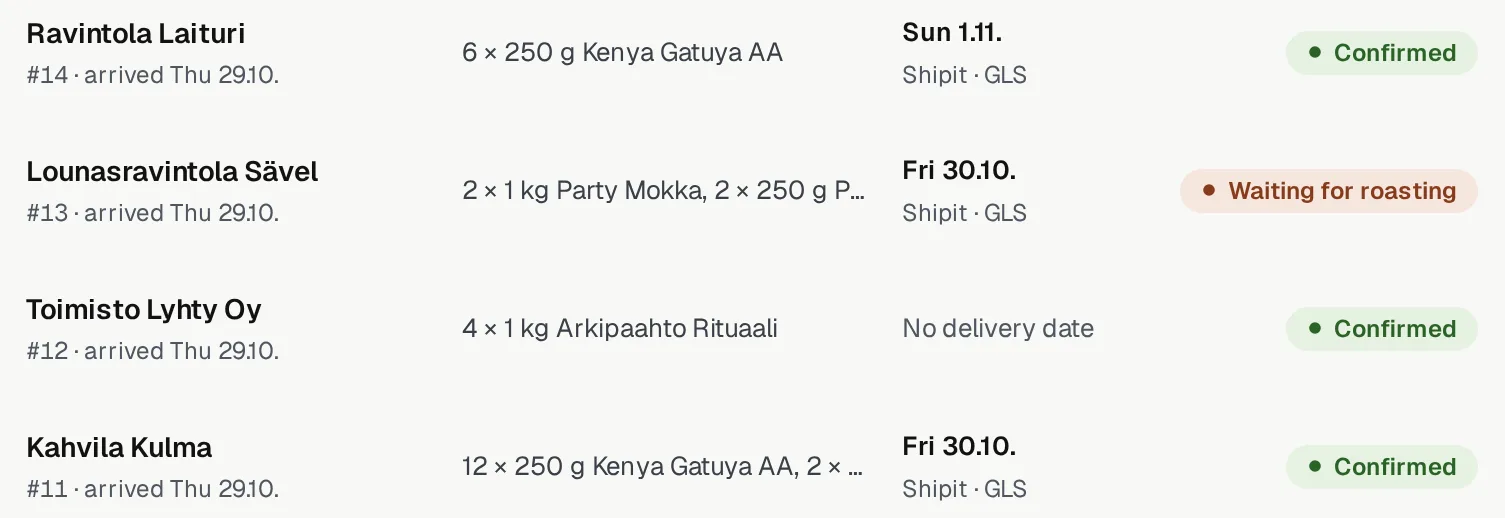
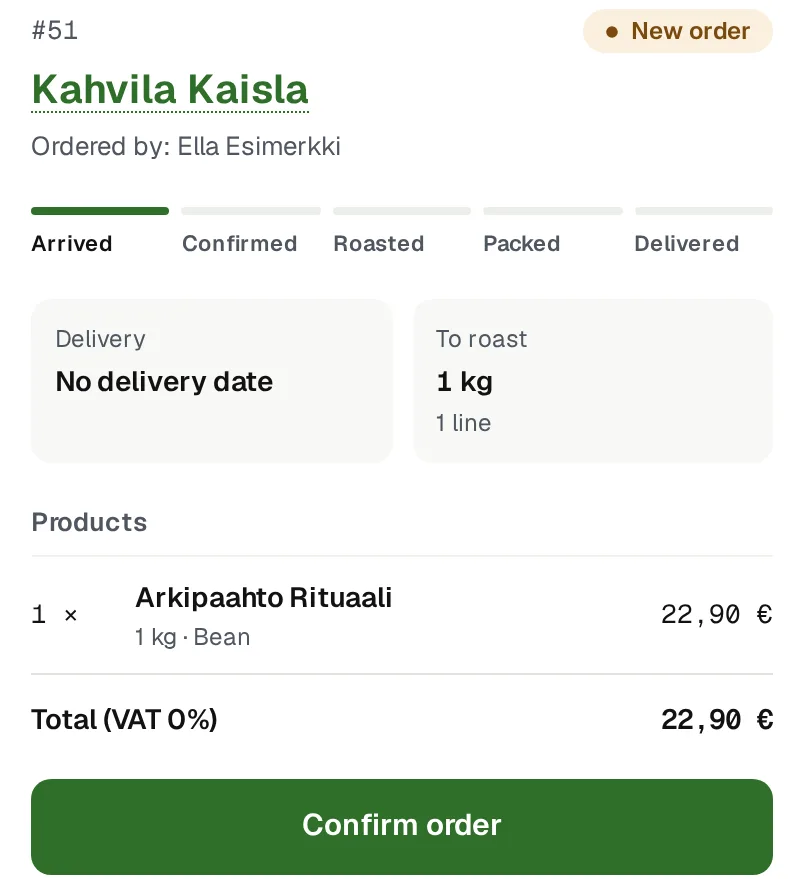
Views from Flow. Names and figures are examples.
How an order moves
An order is entered once. After that it moves from stage to stage at the press of a button, and the stage shows on the list as a word and a colour.
Order in
Create an order with the New order button. The owner can also do it from Inbox. Inbox reads the latest messages from the roastery mailbox when you open the view or press the fetch button. Order messages from known customers appear on the list, and the order is created from the message.
The order also stores the orderer: who placed it on the customer's side.
Confirm
A new order waits for confirmation. The Dashboard's Needs attention brings up orders that have waited for at least a day. The confirmation goes to the customer at the press of a button, and you can preview it before sending.
Roasting, packing and delivery
A confirmed order moves to the roast queue, from there to packing and finally to delivery. Delivery goes through Shipit, as pickup or with your own transport. Partial delivery is possible: the part sent is recorded as its own package.
Undo if it went wrong
When an order moves to the next stage, the notification has Undo. It restores the previous stage. Undo applies only to the latest stage and shows in the notification for about six seconds. Marking an order as delivered cannot be undone.
Confirmations to the right people
Order and delivery confirmations can be sent to the customer's main address and to contact persons, one or several. Everyone gets their own message under their own name, and nobody sees the others' addresses.
The preview shows the message as the recipient will see it. The order's history shows every send with its addresses, so "did I send it already?" is never guesswork.
Products the way you sell them.
Products, package sizes and prices are your own. Flow does not bring a ready-made catalogue.
Bean or ground
Grind is chosen line by line and only for coffee. You can save a default grind for a customer, which fills in on a new order.
Bags and bulk
Package size in grams, kilos, millilitres, litres, pieces or metres. Bulk is ordered in decimals, for example 2.5 kg.
The customer's own prices
You can save contract prices for a customer by product. Delivery addresses, contact persons and the default grind are on the same customer card.
More than coffee
Teas, syrups and accessories go through the same orders. Only a product marked as coffee to roast is counted in roast needs and in report kilos.
One order, many coffees
An order can have several coffees, bag sizes and grinds. Roast needs adds them up coffee by coffee.
Next order estimate
From the customer's order history, Flow estimates when the next order is likely to arrive and what it will contain. The estimate is calculated in the browser, not in an outside service.
Questions about orders
All questionsHow does an order get from email into Flow?
Flow reads messages from one roastery mailbox when you open Inbox or press the fetch button. Order messages from known customers appear in Inbox, and the order is created from the message. An order is always checked before it goes to roasting.
What do the order stages mean?
A new order waits for confirmation. A confirmed order moves to the roast queue, from there to packing and finally to delivery. A delivered order is done. The stage changes at the press of a button, and Undo restores the previous stage if the wrong button was pressed. Marking an order as delivered cannot be undone.
Can an order be delivered in parts?
Yes. When part of an order leaves, the rest stays waiting as its own package, and the packing queue shows it as its own batch.
Who does the confirmation go to?
The customer's main address and the contact persons you choose. Everyone gets their own message under their own name. A message cannot be sent to anything other than the customer's own addresses.